Industry-Leading Projection Planning Tool

Design stunning projection and
AV experiences

Professional 3D planning software for multi-projector installations and complete AV setups. Visualize, optimize, and deliver projection mapping, dome projections, and immersive experiences with precision.

Start Free Trial → See It In Action
No credit card required • Free forever plan available
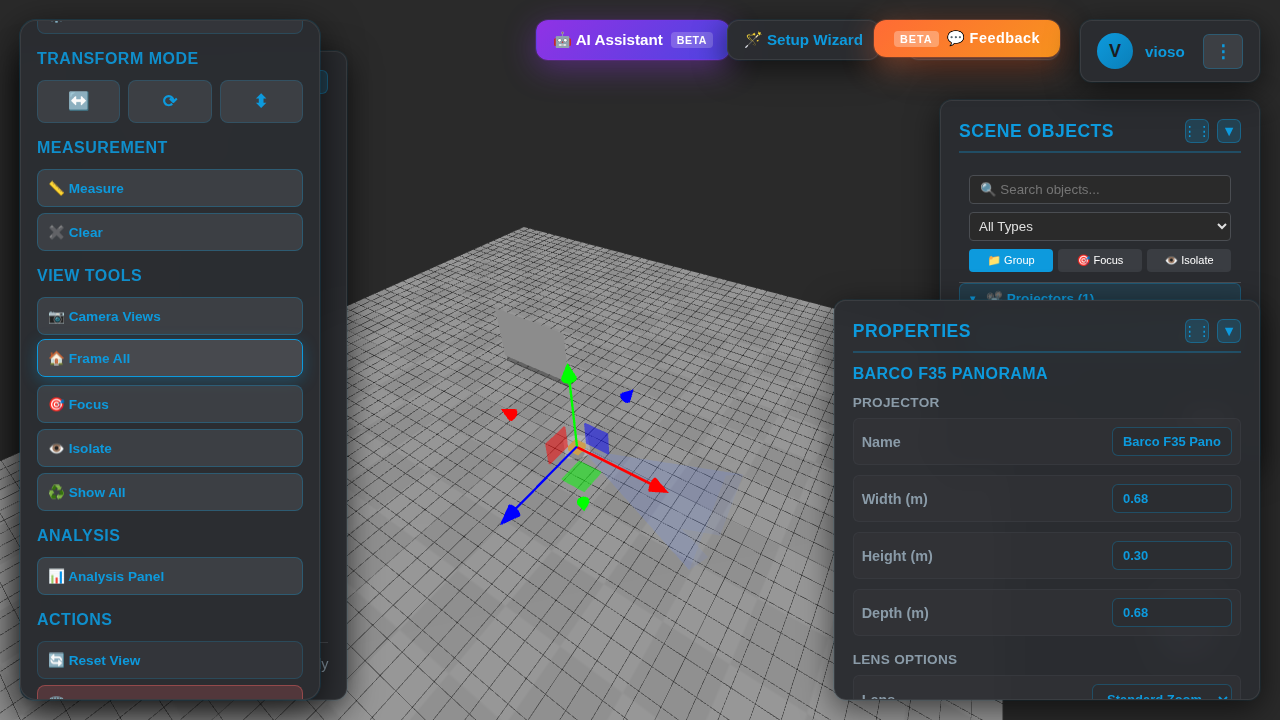
VIOSO Experience Designer 3D Workspace Preview

How It Works

Get from concept to installation in 3 simple steps

1
📐

Design Your Space

Import your venue model or create one from scratch. Add projectors, screens, and LED walls in an intuitive 3D workspace.

2
🎯

Optimize & Analyze

Use real-time photometric analysis to optimize projector placement. Calculate coverage, brightness, and pixel density automatically.

3
🚀

Export & Deploy

Generate calibration data, export reports, and collaborate with your team. Deploy with confidence.

See It In Action

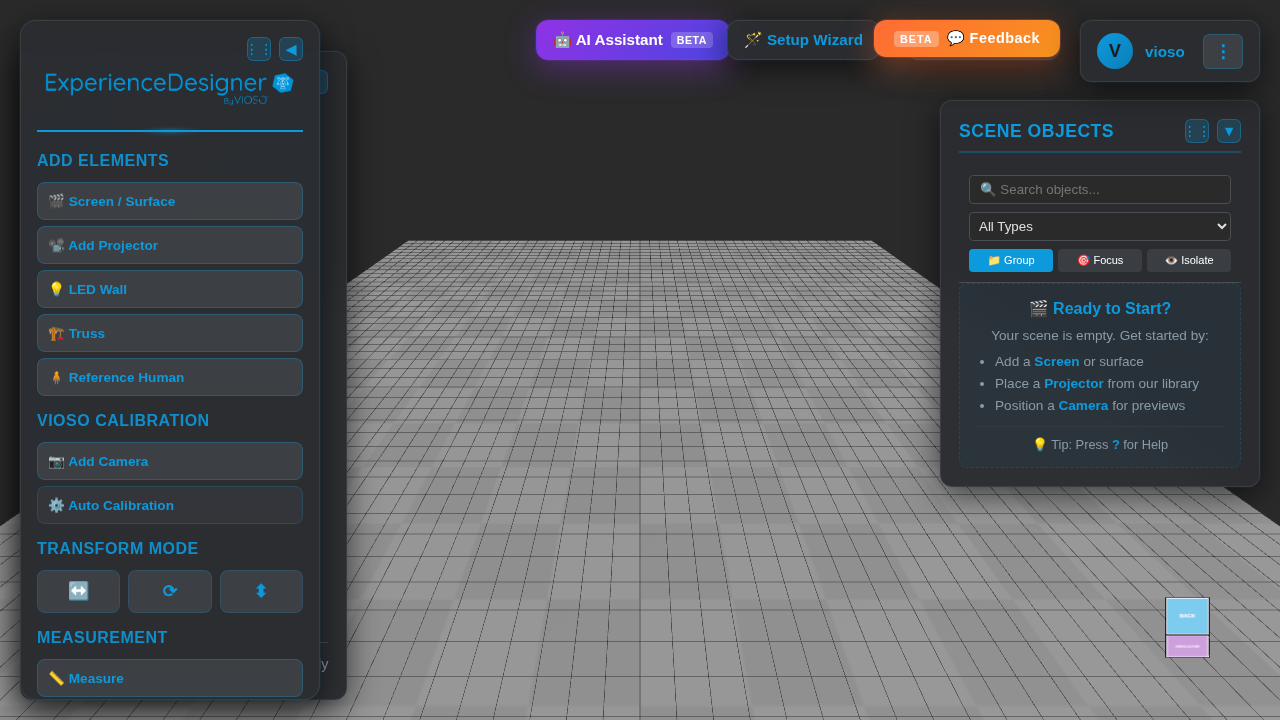
3D Workspace Interface

Interactive 3D Workspace

Professional 3D environment with intuitive controls. Pan, rotate, and zoom to explore your projection setup from every angle.

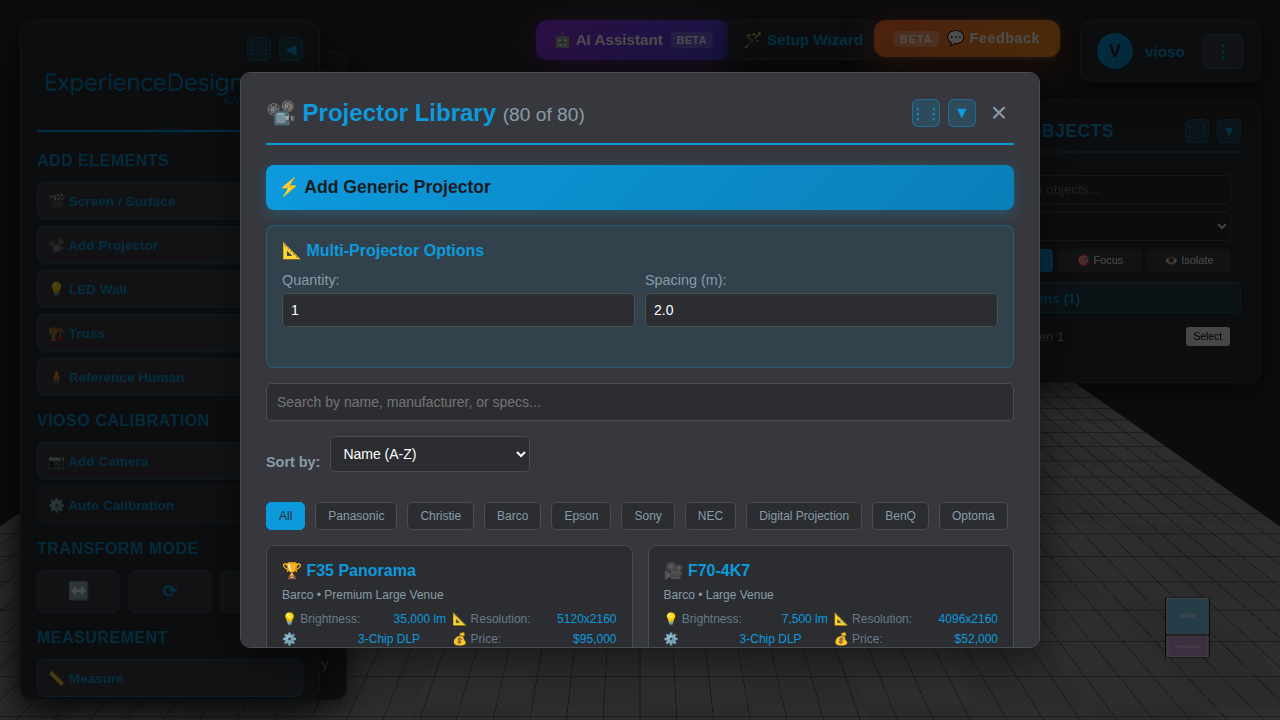
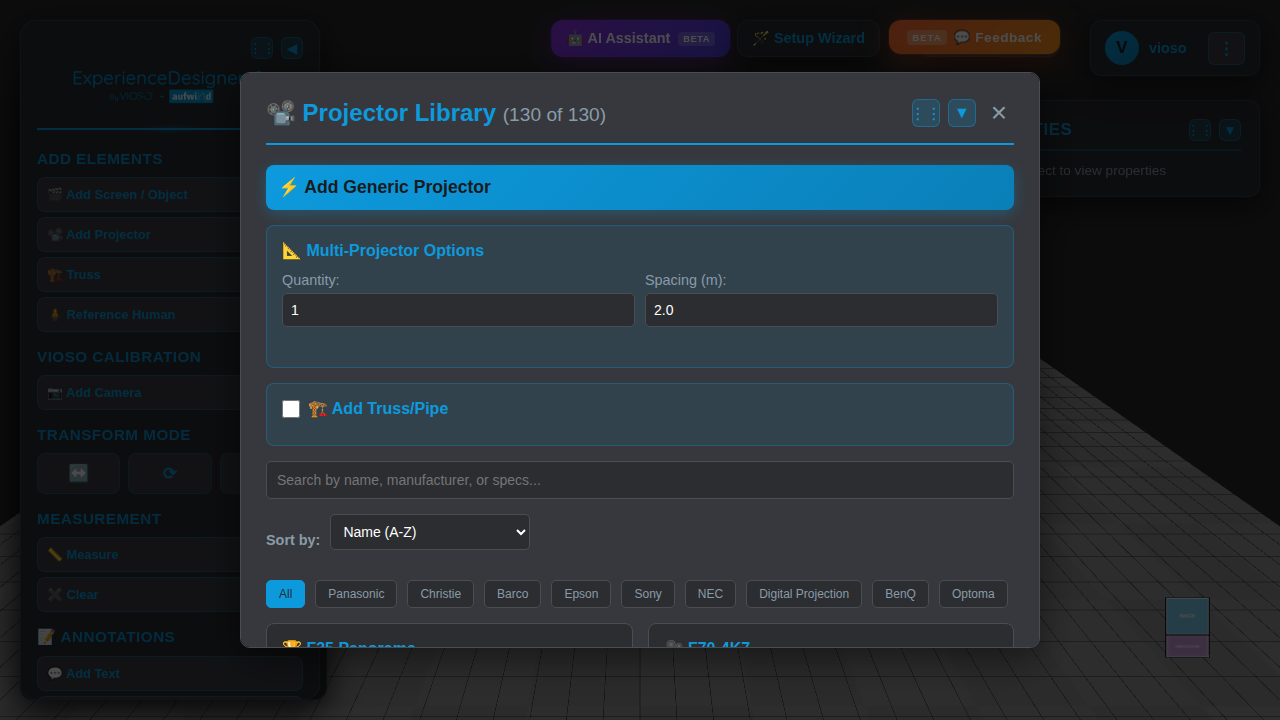
Projector Library

Extensive Projector Library

Access 80+ professional projectors from leading manufacturers including Barco, Christie, Panasonic, and more with complete specifications.

Projection Setup

Real-Time Visualization

See your projection setup come to life with real-time 3D rendering, projector frustums, and accurate coverage analysis.

Getting Started Tutorials

Learn how to use VIOSO Experience Designer in minutes

1
VIOSO Experience Designer Workspace - Getting Started

Getting Started with the Workspace

Welcome to the 3D workspace! This is where you'll design your projection setup.

  • Navigate: Use left mouse button to rotate the camera around your scene
  • Pan: Right mouse button to move the camera position
  • Zoom: Scroll wheel to zoom in and out
  • Tools: Access all tools from the left sidebar menu
Tip: Press "?" at any time to see keyboard shortcuts and controls
2
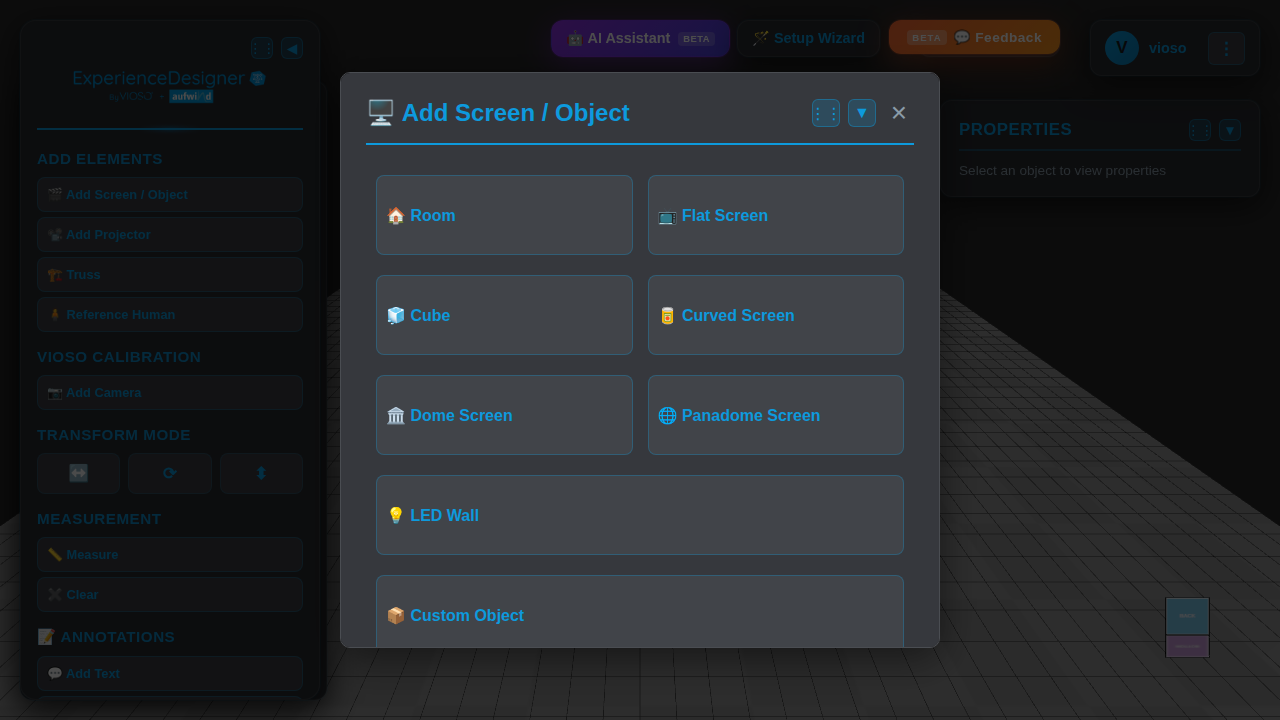
Add Screen Dialog - Choose Screen Type

Setting Up Your Screen

Add projection surfaces to your scene with just a few clicks.

  • Click: The "🎬 Add Screen / Object" button in the left sidebar
  • Choose: Select from flat screens, curved screens, domes, or LED walls
  • Customize: Adjust dimensions, position, and rotation in the properties panel
  • Multiple: Add as many screens as needed for complex setups
Tip: Use the transform tools (Move, Rotate, Scale) to position your screen precisely
3
Projector Library - Select Professional Projector

Adding Projectors from the Library

Choose from 130+ professional projectors with accurate specifications.

  • Open: Click "📽️ Add Projector" to access the projector library
  • Search: Filter by manufacturer (Barco, Christie, Panasonic, etc.) or search by name
  • Select: Click on any projector to add it to your scene
  • Position: Use transform controls to place and aim the projector at your screen
Tip: The projector frustum (cone) shows the projection coverage in real-time
4
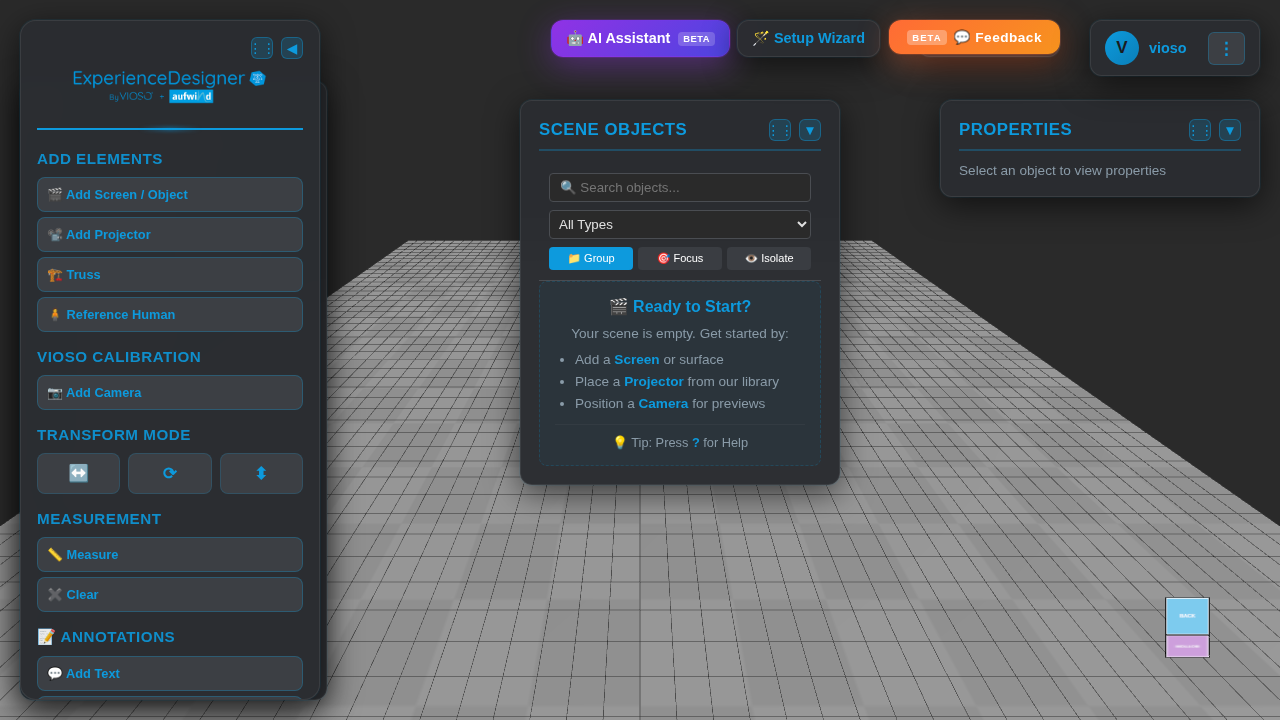
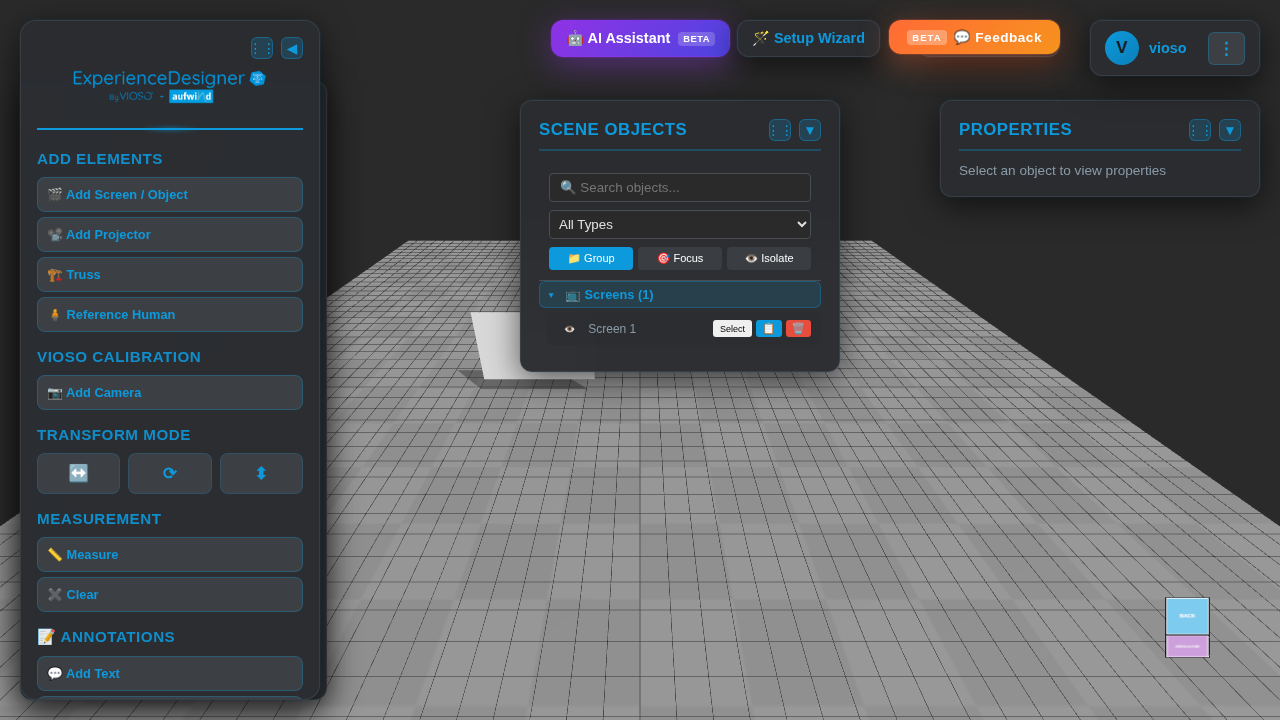
3D Workspace with Screen Added

Working with Your Scene

Manage and organize your projection setup efficiently.

  • Select: Click any object to view and edit its properties
  • Scene Objects: View all elements in the Scene Objects panel on the right
  • Analysis: Use the Analysis Panel to check coverage, brightness, and pixel density
  • Save: Your project auto-saves as you work (Pro plan required)
Tip: Use keyboard shortcuts like "F" to focus on selected objects and "A" to frame all

Ready to start designing?

Launch Workspace

Why Choose VIOSO Experience Designer?

Traditional Methods

  • ❌ Manual calculations and guesswork
  • ❌ Time-consuming trial and error
  • ❌ Limited visualization options
  • ❌ Expensive on-site adjustments
  • ❌ Difficult team collaboration
Better Solution

With VIOSO

  • ✅ Precise photometric calculations
  • ✅ Real-time 3D visualization
  • ✅ Professional-grade analysis
  • ✅ Plan before you build
  • ✅ Cloud-based collaboration

Powerful Features for Professional Results

🎯

3D Workspace

Interactive 3D environment for precise projector placement and visualization with real-time rendering.

📊

Photometric Analysis

Calculate luminosity, pixel density, and coverage with professional-grade accuracy for any surface.

🔄

Multi-Projector Support

Design complex multi-projector setups with overlap detection and additive brightness calculations.

🎨

Projective Texture Mapping

Visualize exactly how your content will appear on curved screens, domes, and complex surfaces.

📐

Advanced Screen Types

Support for flat screens, curved surfaces, domes, panadomes, and LED walls with full customization.

💾

Project Management

Save, load, and share your projection designs with automatic backup and version control.

📱

Cloud Sync

Access your projects from anywhere with cloud synchronization and team collaboration features.

🎓

Professional Library

Extensive database of projectors, lenses, and screens from leading manufacturers.

Choose Your Plan

Free

€0/month

Perfect for exploring and learning

  • 3D Workspace Access
  • Basic Projector Library
  • Up to 2 Projectors
  • Basic Screen Types
  • Photometric Analysis
  • Save Projects
  • Cloud Sync
  • Advanced Features
  • Technical Support
Start Free

Corporate

Custom

White-label solution for your business

  • Everything in Pro
  • White-Label Branding
  • Custom Domain
  • On-Premise Deployment
  • Custom Integrations
  • API Access
  • Dedicated Support
  • Training & Onboarding
  • SLA Guarantee
  • Custom Development
Contact Sales

Frequently Asked Questions

Everything you need to know about VIOSO Experience Designer

What projector brands are supported?

We support 80+ professional projectors from major manufacturers including Barco, Christie, Panasonic, Sony, Epson, and more. Our library is constantly updated with new models.

Can I use this for complex curved surfaces?

Absolutely! VIOSO supports flat screens, curved surfaces, domes, panadomes, and LED walls. Our projective texture mapping accurately shows how content appears on any surface.

Is there a free trial available?

Yes! We offer a free plan with access to basic features and support for up to 2 projectors. Pro features are available with a 14-day free trial, no credit card required.

Can I export my designs for installation?

Yes, you can export PDF reports with all technical specifications, VIOSO calibration data, and share projects with your team via cloud sync.

Do you offer training or support?

Pro and Corporate plans include priority email support. Corporate customers also receive dedicated support, training, and onboarding assistance.

Can I import my own 3D models?

Yes, you can import venue models in common 3D formats to accurately plan your projection setup within your actual space.

Still have questions?

Contact Support